Batch Try On Clothes with Photo AI
batch-try-on-clothes
Written By @levelsio
Last updated Over 1 year ago
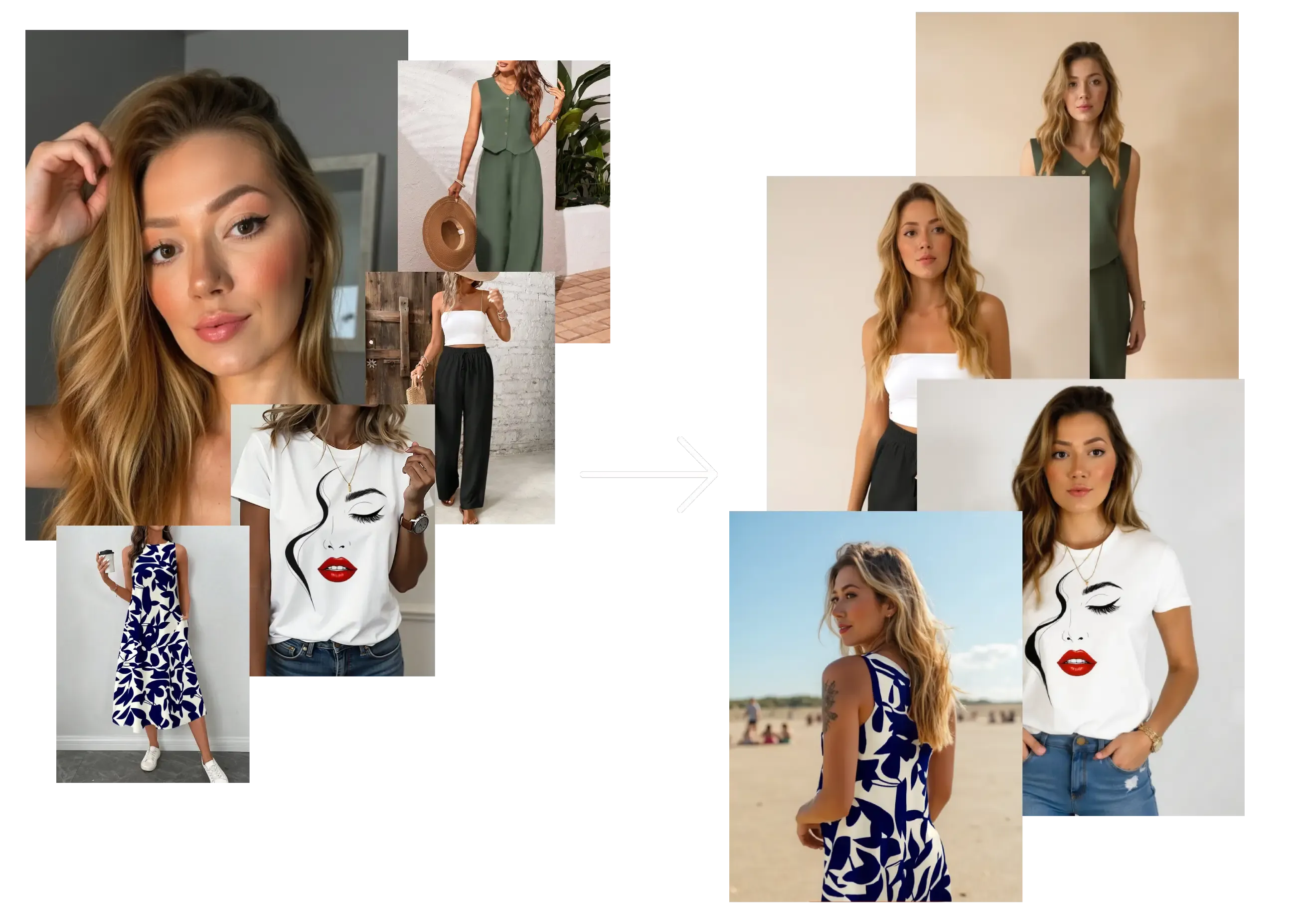
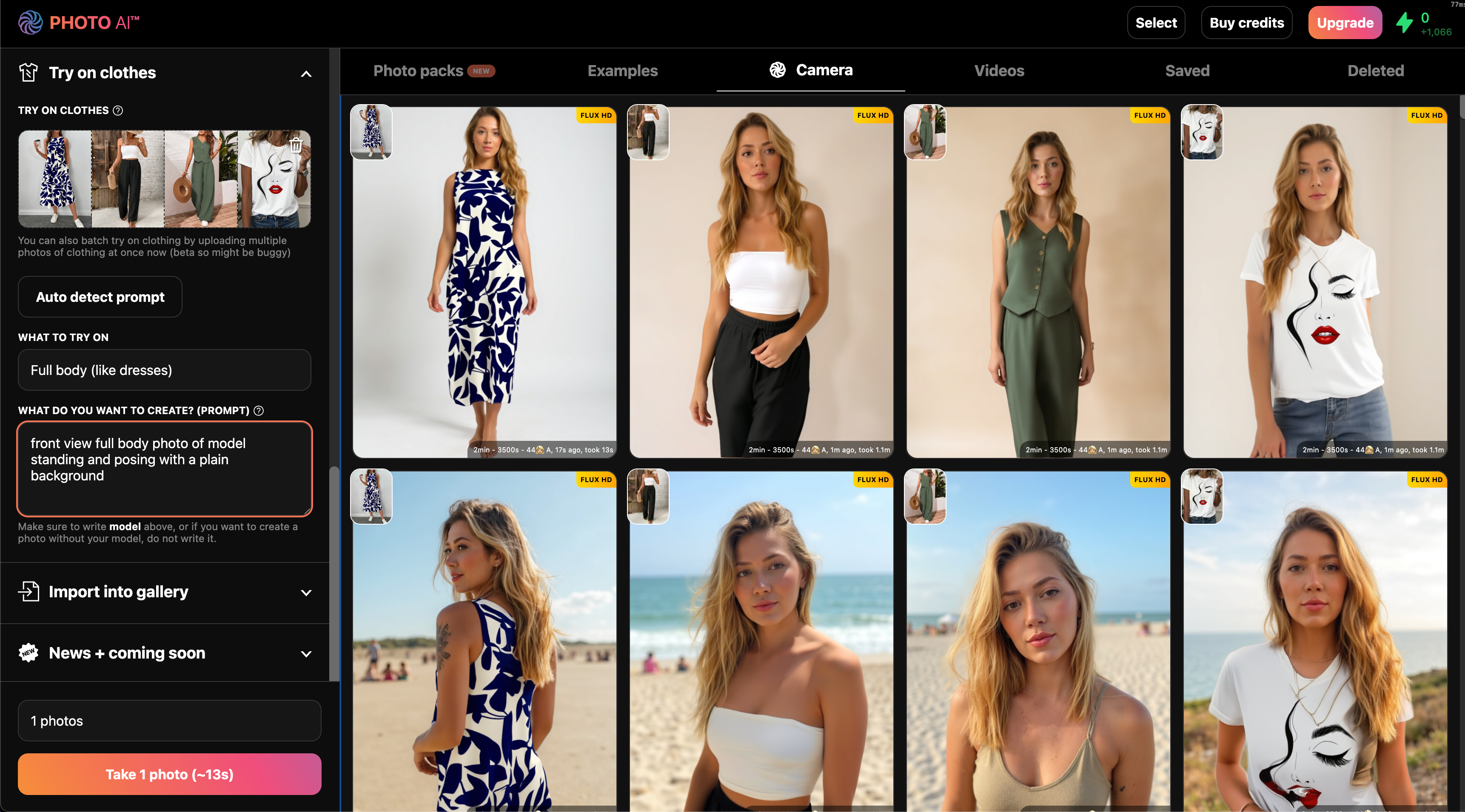
Want to see your AI model wearing different clothing? Scroll down to the Try On Clothing mode on Photo AI and there you can now upload multiple photos to try on clothes in batch.
This is particularly useful if you’re a fashion designer, label or store and have a new collection you need to have try on photos of fast.
Step 1: Create or select your AI model
Go to [ Create new AI model ] in the sidebar. Upload around 20 photos of your model, this could be yourself or someone you’ve hired.
In about a minute, Photo AI will train a photorealistic, personalized AI model that looks just like them.
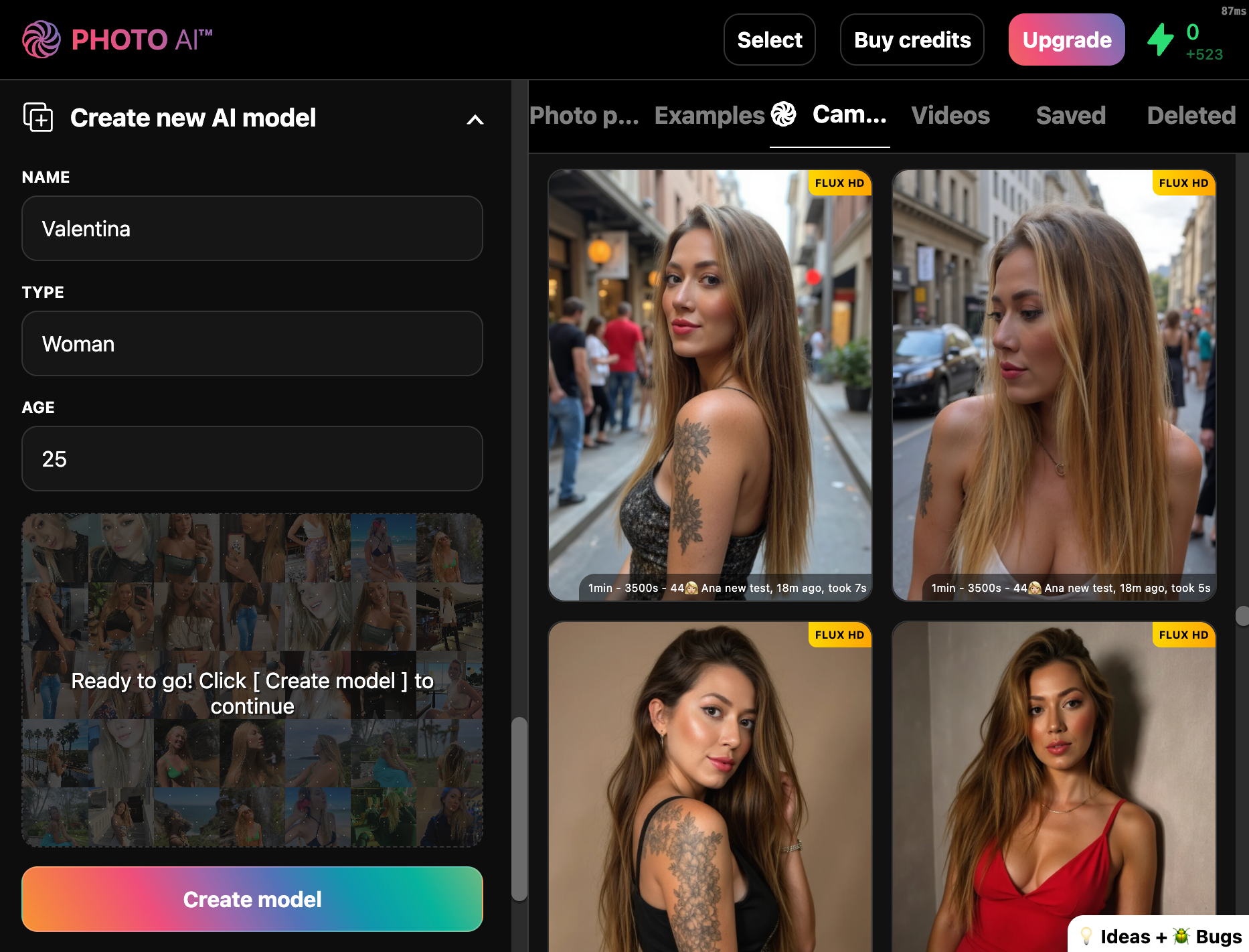
You can reuse this model to try on different outfits endlessly.
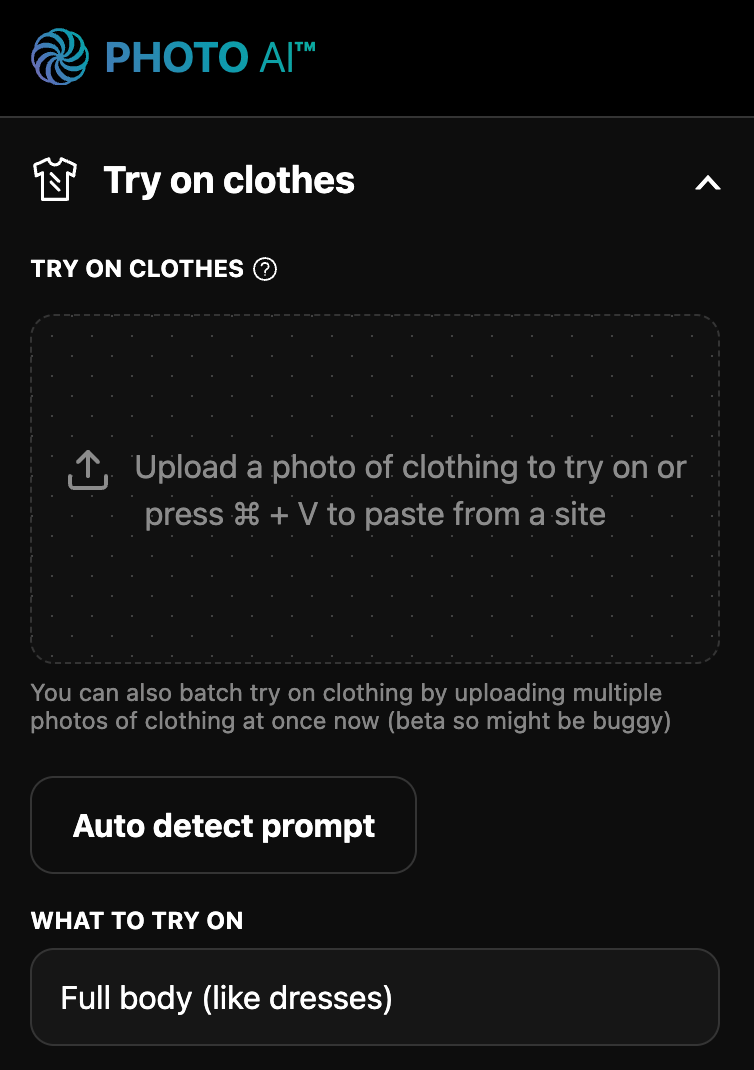
Step 2: Go to [ Try on clothes ] in the sidebar
This opens the try on panel where you can upload your photos:
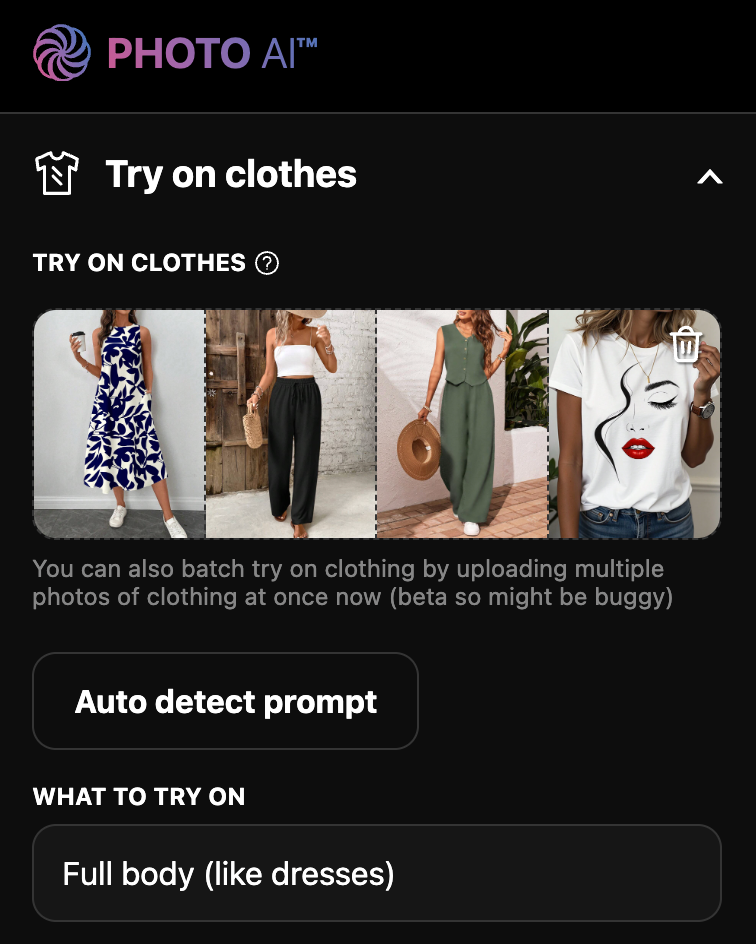
Step 3: Upload multiple images
Upload multiple photos — clothing laid flat, or worn by someone else:
Step 4: Tap [ Take photo ]
Each photo gets processed individually with your AI model wearing the clothes, producing consistent photos for your fashion label or store.
Bonus: Turn them into videos
Hover over any remixed image and click [Make video] to animate the outfit in motion.
What’s Batch Try On Clothes useful for?
✅ Great for Shopify sellers, fashion brands, or indie designers
✅ Saves the cost of physical samples and photo shoots
✅ Lets you test outfit ideas instantly on real-looking people
✅ Run it on an entire collection of clothes without uploading individual pieces
Try batch try on clothes now in Photo AI. Only on Premium and Ultra plans.
Still need help? Share an idea